For families and caregivers
If someone you love can't rely on speech, a picture grid that talks can give them a way to say what they mean. This page explains what Oso Voice does, what you will do, and what it will not do.
 you
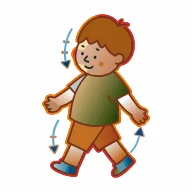 go
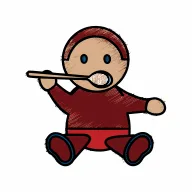 eat
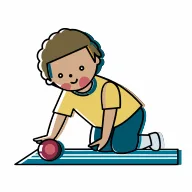 play
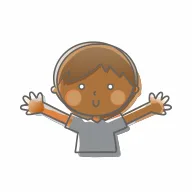 big
 hi
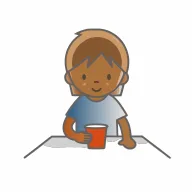 it
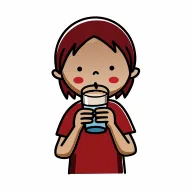 drink
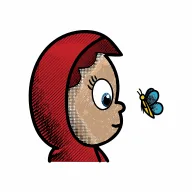 look
 this
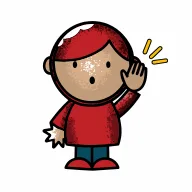 come
 little
 good
What AAC is
Augmentative and alternative communication, usually shortened to AAC, means any way of communicating that supports or replaces speech. It can be as simple as a card with pictures on it. Oso Voice is a speech-generating kind: the person taps a picture, the iPad or iPhone says the word aloud, and the words line up at the top of the screen into a sentence that can be spoken all at once.
AAC does not stop someone from learning to talk. The evidence points the other way: having a reliable way to communicate tends to help speech, not replace it. If you are weighing AAC for a child, a speech-language pathologist is the right person to help you choose. Oso Voice supports communication; it does not diagnose, prescribe therapy, or stand in for a treating SLP.
Who it suits
The app is designed around children with autism or speech delays, roughly ages three to twelve, and it is not limited to them. It is used by adults, and nothing in it is made to look young. The name and the bear mark were chosen so that a teenager or an adult can carry them without embarrassment, because a communication system is something a person keeps for years.
It is for anyone who can see a picture, tap a screen and benefit from hearing a word spoken. Switch access and eye-gaze control are not in this first version.
What a day looks like
The home screen shows the words people use most: I, want, more, go, stop, help, you, play. Most of what a person wants to say in a day can be said from that one screen. Three gray folders in the corner lead to everything else: people, feelings, and the full set of words, each one level deep and named plainly.
The most useful thing you can do is use it yourself, in front of them. Tap want and drink as you pour a drink. Tap finished when dinner ends. Speech-language pathologists call this aided language stimulation, or modelling, and it is how people learn a system like this: by seeing it used, not by being quizzed. The app is built to let you do that without unlocking anything.
Two things it will never do. It will never move a button the person has learned, because they find words by where they are, the way you type without looking at the keys. And it will never treat access to words as a reward or take them away as a consequence; no, stop and help always work and always stay where they are.
Setting it up
Choose a voice
The app speaks with the voices built into the device. A new device usually only has the basic ones. Download an enhanced or premium voice once in iOS Settings, and Oso Voice will offer it. The steps are on the support page.
Pick a grid size
A small set of sizes, not a slider: three for iPhone and three for iPad. Start smaller than you think and grow later. Changing size is the one thing that rearranges the grid, and the app warns before it does.
Try Gentle Mode
A softer, lower-contrast palette for people who find bright screens hard. It is one toggle in Settings and changes nothing about where words are.
Add your own words and photos
Add a word to any folder, change what a word says, or put a photo of a real person or place on a button. New words take the next free space and stay there.
Decide about the caregiver check
Settings is behind a simple arithmetic question so it does not change by accident during use. It is not a lock. For a real lock, use the device's own Guided Access.
What it costs
One purchase from the App Store, one price. There is no subscription, there are no in-app purchases, and there is no free version that stops speaking after a while. Every word, every voice setting, custom words, photos and every future vocabulary update are included. The app can never stop talking because of a payment.
Your information
The app has no account to create and sends nothing anywhere. Words, photos and settings stay in the app's private storage on the device, and come along in your normal iCloud or computer backup like any other app. There are no analytics and no advertising. The whole privacy policy is one page.
Getting help
Write to [email protected]. Say which device and iOS version you have and what you expected to happen; a screenshot helps. The support page answers the questions that come up most.